
eBay profit and loss statement Profit by the order
and by the month.
Productivo builds your eBay profit and loss statement from each order’s sale, fees and Amazon cost. Months add up net of your own expenses, ready for your accountant.
Start free trialIncluded in every plan.
 Order #1048Ceramic desk lamp
- Profit
- $3,080.93From orders
- Expenses
- −$142.00Software and rent
- Net profit
- $2,938.93
An eBay profit tracker you can trust
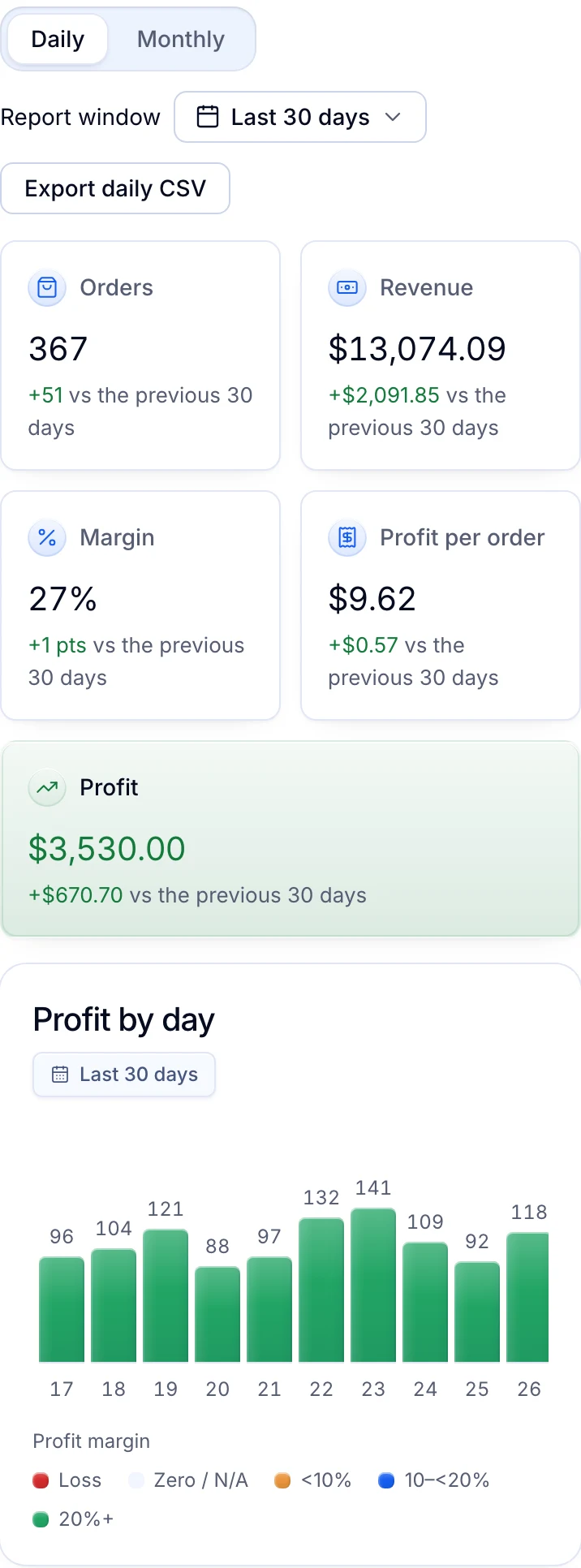
Each order’s profit is what the buyer paid, less eBay’s fees and ad charges, less the Amazon cost and your own costs. It updates as fees and refunds arrive, and is final 30 days after delivery.
- By day or by month, for any window up to a year
- Compared with the same span just before
- Figures that may still change are marked with ~
Your expenses, off the top
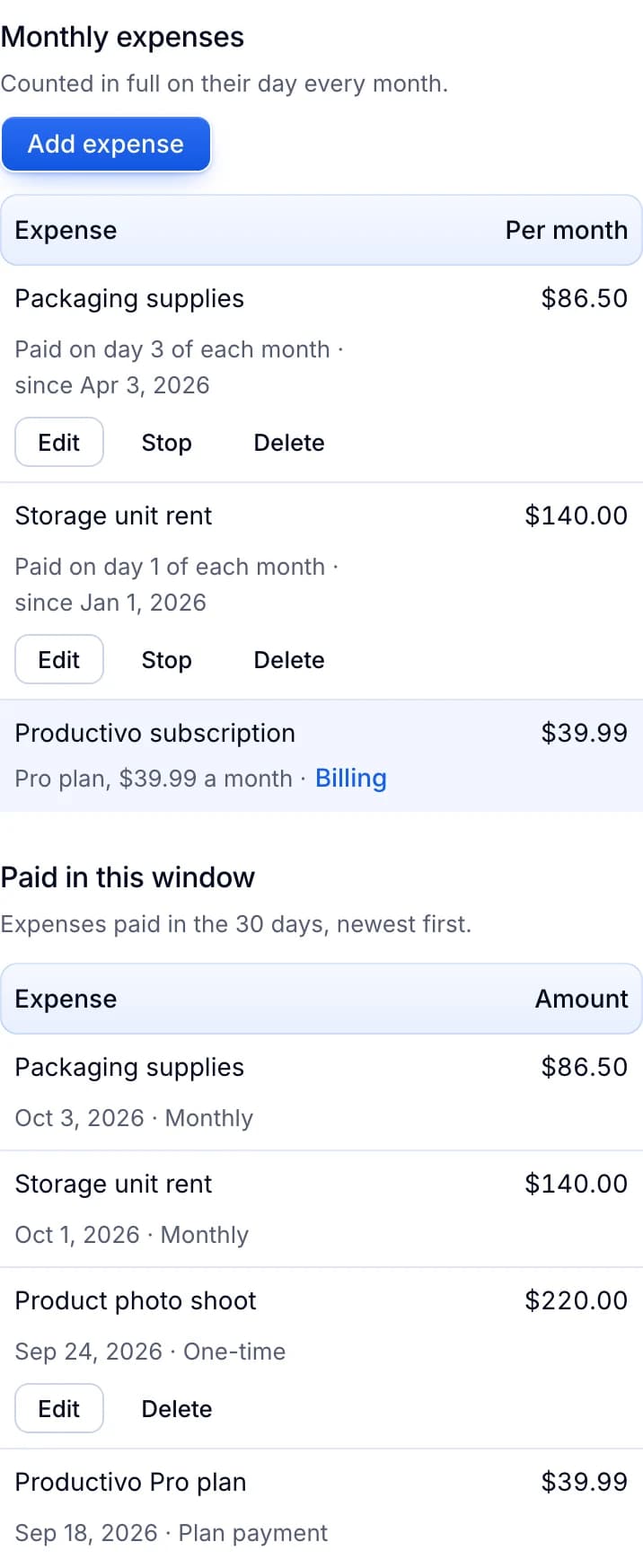
Add the store’s costs outside its orders, like software, packaging or rent, as one-time or monthly expenses. Each payment counts in full on the day it is paid, and the totals end on net profit.
- Your Productivo plan appears by itself, split between your stores
- A new amount applies from today; past payments keep theirs
- Net profit on the dashboard, in Orders and in the daily CSV
What earns, and what doesn’t
See the products that made the most and the least profit, and the orders that lost money, deepest loss first. Profit by Amazon category and your unsold listings sit one tab away.
- Export the days as a CSV for your accountant
- A multi-line order’s profit is split across its lines
- Products you no longer track still appear

Returns and cancellations, in dollars
See what returns cost you in the chosen window: buyer refunds, Amazon refunds and return costs. The most common reasons and the most returned products sit below. Cancellations show the sales lost.
- Each returned product with its return rate
- Orders cancelled after the Amazon purchase, with no refund entered yet
- The profit left on returned and cancelled orders

Where an eBay profit and loss statement helps
Your accountant asks for the year
Pick the window and export the daily CSV. Each day lists orders, revenue, profit, expenses and net profit, in US dollars.
Sales are up, the bank balance isn’t
Profit already takes off eBay’s fees, ad charges and the Amazon cost. Net profit then takes off your monthly bills. A busy month with a thin margin shows up in the chart.
DropshippingA product keeps selling at a loss
Worst products and the orders that lost money show it, with the fees and the cost beside each loss. Often the Amazon price rose after you set yours.
One product comes back again and again
The Returns tab lists the most returned products with their return rate, and the reasons buyers gave. You see which listing to fix or drop.
Software, packaging and storage every month
Add each bill once as a monthly expense. Every payment comes off net profit on its day, and your Productivo plan is already there.
Your best sellers might cost less elsewhere
On Pro and Scale, the Top sellers tab checks your best-selling products for cheaper suppliers of the same item.
Dropshipping
Questions about Reports
Doing it by hand? eBay fee calculator: work out your fees and money left
Yes. Switch Reports to Monthly for profit by month over the last 12 months, net of your expenses. The daily CSV gives your accountant the same figures day by day.
eBay’s marketplace fee, Promoted Listings charges and any refund to the buyer. Then what you paid Amazon, less its refunds, plus tracking fees, return costs, your per-order extra costs and costs you add by hand.
No. Reports track profit and seller analytics for your eBay store, but they don’t keep your books or file taxes. For bookkeeping, export the daily CSV and hand it to your accountant.
30 days after delivery. Until then it updates as eBay fees, ad charges and refunds arrive, and the figure carries a ~.
It has no Amazon cost yet: nothing bought, typed or linked to estimate from. Counted, its whole sale would read as profit. Record the purchase or link the product to bring it back.
Yes. A paid plan appears as a monthly expense by itself, split equally between your connected stores. A trial or a free plan adds nothing.
Still have questions?
Ask our team in live chat.