
eBay MCP server Ask your AI
about your eBay store.
Connect ChatGPT, Claude, Claude Code or Codex to Productivo’s eBay MCP server. MCP is the open standard for AI apps. Your assistant answers with your own Productivo data.
Start free trialIncluded in every plan.
What can I help with?
How did Northline Goods do this week?
 Using Productivo…Used Productivo· Sales report
96 orders and $1,184 profit this week. Your best seller was the commuter backpack, with 21 sold.
Which listings get views but few clicks?
Using Productivo…Used Productivo· Listing performanceThe ceramic desk lamp: seen 12,480 times but opened only 312 in 30 days. Compare its main photo, title and price with the top search.
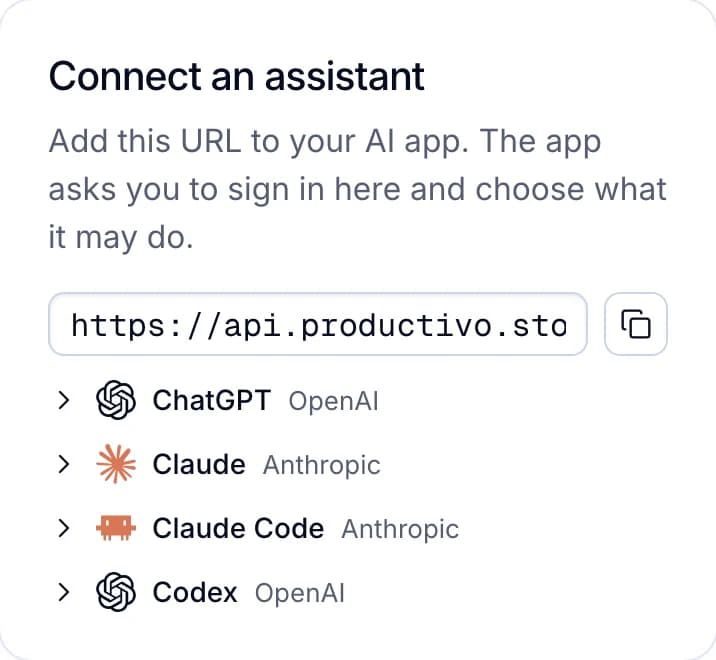
Connect in a minute
Add Productivo’s address to ChatGPT, Claude, Claude Code or Codex. The app asks you to sign in here and choose what it may do.
- Read only, or Read and change
- All stores, or the ones you choose
- Team members connect their own, with their own access
Answers from your own data
Ask in your AI chat about orders, profit, competitors or jobs. The assistant reads your Productivo data through its tools and answers with your numbers.
- An order’s fees, costs and tracking, explained
- Your price explained beside each saved competitor
- A job’s stage, and the error of each product

Ask it to do the work
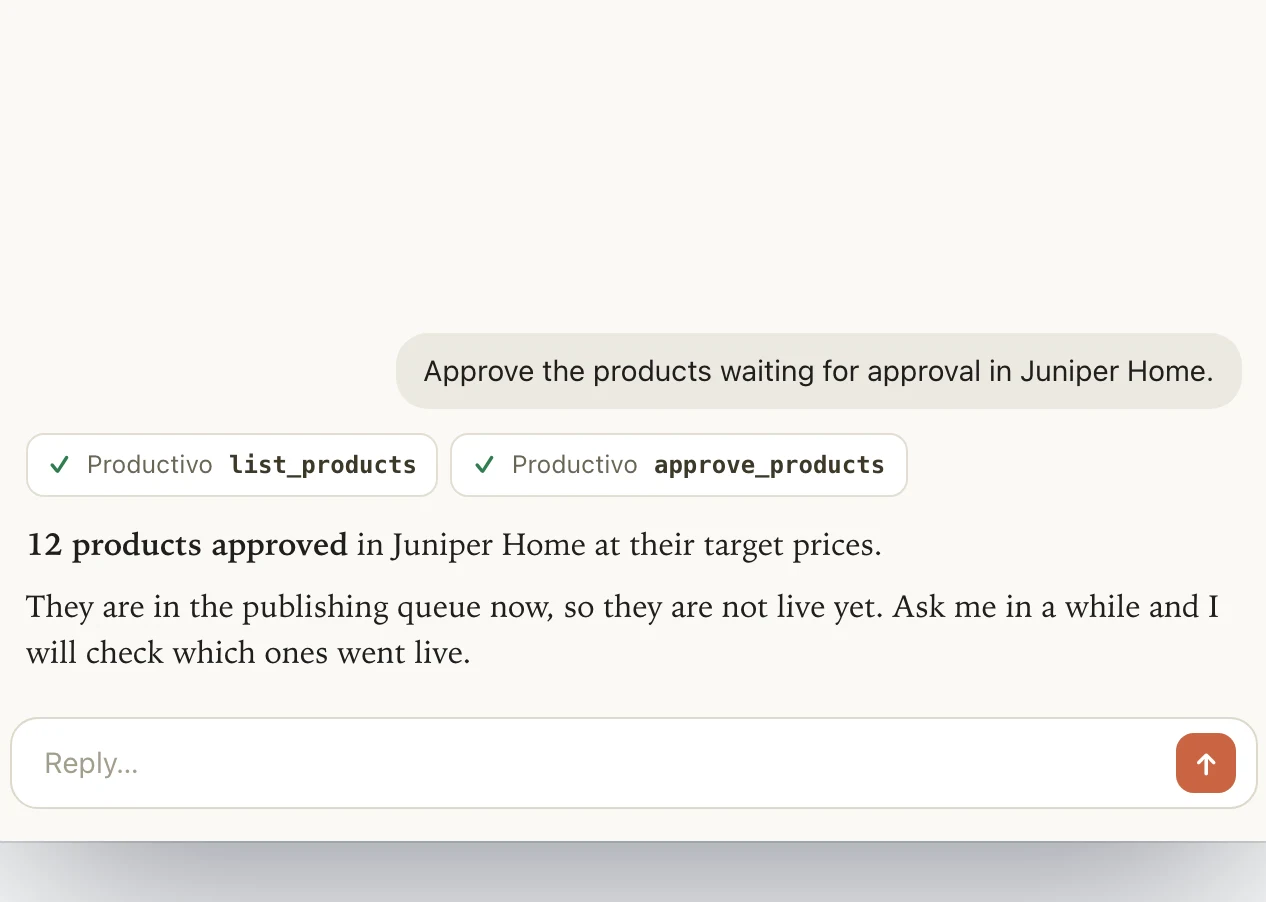
With Read and change, your assistant can add Amazon products, approve or schedule up to 100 at a time and start a product scan. It uses the same queue and rules as the dashboard.
- Up to 500 ASINs or Amazon links at once
- Product scans need Pro or Scale, as in the dashboard
- It drafts a support case and sends it when you agree
You stay in charge
Each connection acts as the person who approved it, with that person’s areas and stores. Disconnect it whenever you like, and it stops at once.
- A Read only connection cannot change anything
- The owner sees every connection on the account
- See when each one was last used

Where Productivo’s eBay MCP server helps
The morning check
Ask what needs you today before you open the dashboard. The assistant lists orders close to their ship-by time and Amazon purchases with no tracking yet.
DropshippingProfit questions without a spreadsheet
Ask which month made the most, or which orders lost money. The assistant reads your profit report, returns and cancellations, and explains the numbers.
A price you did not expect
A product lists higher than you thought. Ask why, and the assistant shows its Amazon cost, your minimum price and the competitors it was compared with.
DropshippingA job that failed overnight
An import or publishing job ended with errors. The assistant reads each product’s error and checks the seller guide. If that does not fix it, it drafts a support case for you.
Listings that get seen but not bought
On Pro or Scale, ask which listings get views but no sales. The assistant reads each one’s traffic and the searches it appears in, and suggests title words.
A teammate who works in Claude
A team member connects their own AI with their own login. It reaches only the areas and stores you gave them, and you can disconnect it.
Questions before you connect
No. It is Productivo’s own MCP server, and it works with the data Productivo keeps for your eBay stores. Changes go through Productivo, as they do in the dashboard.
Yes, and Claude, Claude Code or Codex too. ChatGPT makes changes only in Business, Enterprise and Edu workspaces. On other ChatGPT plans it reads.
Only with Read and change. Then it can add, approve, schedule or remove products, and removing a product ends its eBay listing. It does not edit the title or price of a live listing.
Every plan includes them while the account has an active subscription or trial. Listing traffic and product scans need Pro or Scale, the same as in the dashboard.
Yes. Each member connects their own, and it sees only the areas and stores you gave them. The owner sees every connection and can disconnect any of them.
Only the parts of Productivo its tools use. Billing, team, sign-in and admin stay out of reach. What you ask goes to your AI app, under that app’s own terms.
Still have questions?
Ask our team in live chat.