
eBay listing software Listed together,
in your own design.
Productivo is eBay listing software that lists approved products together or on a schedule. Each goes to eBay with your description template and business policies.
Start free trialIncluded in every plan.
 Ceramic desk lamp$39.90 on eBayApprovedLive
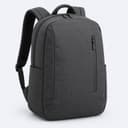 Commuter backpack, 20 L$44.90 on eBayApprovedLive
 Herb butter infuser$34.90 on eBayApprovedLive
 Northline GoodsPreviewLive on eBay
 Blue Ceramic Lamp for Desk Office Home Light$39.90Free shipping30-day returns
Select many, list once
Select products on the Products page and list them on the selected store together. Approved products also go up by themselves: Productivo checks for ready ones every 15 minutes.
- Listing by hand follows the same rules as the automatic runs
- A product already on eBay under one of your stores is skipped
- The Activity page gives one reason for each product held back

Your policies, your template
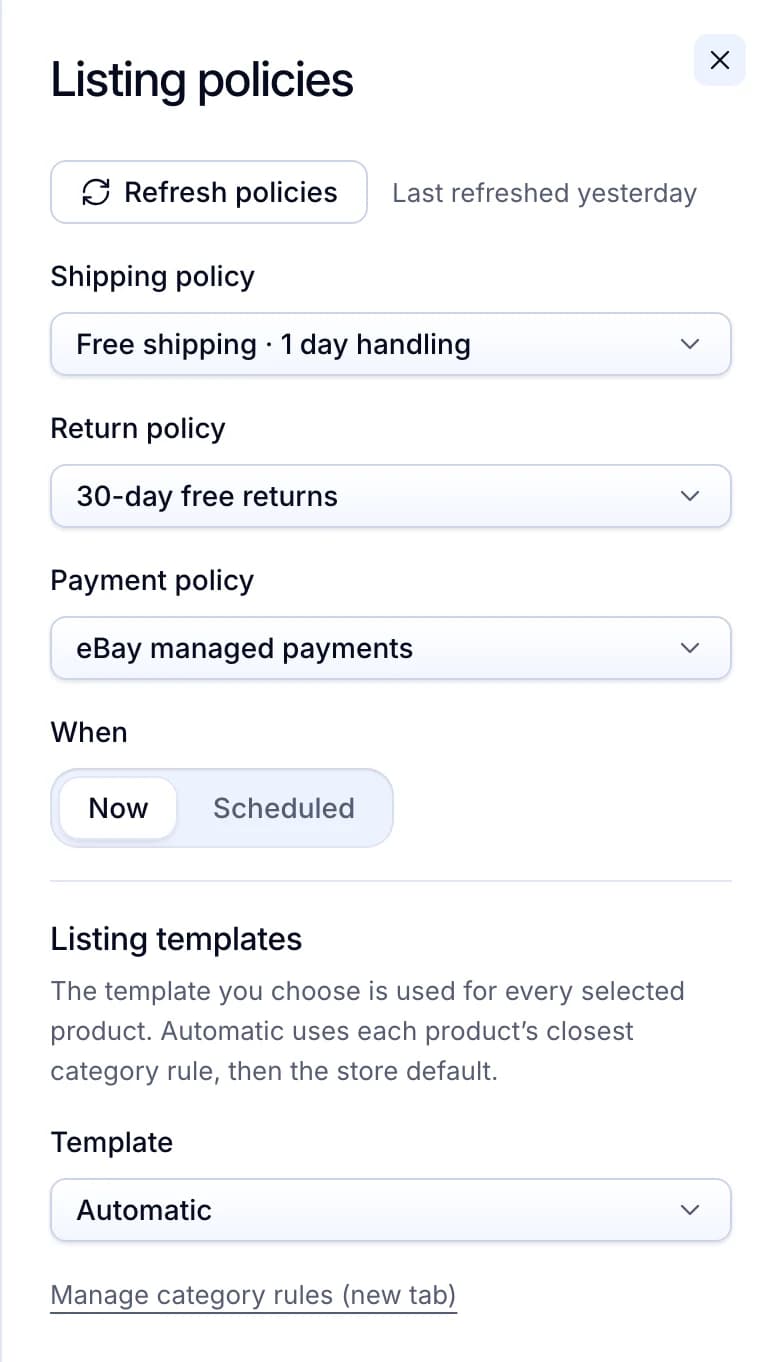
Before listing, choose the shipping, return and payment policies, and list now or at a date and time you pick. Each listing takes your description template, chosen by its category.
- Policies come from your eBay account and refresh in one click
- Scheduled products wait, approved, until their time
- Automatic picks each product’s closest category rule, then the store default
Nothing lists without approval
Approving a price means list it at this price. Approve by hand, or let auto-approve check profit, keywords, brands and ratings when a product’s first price arrives.
- The Approval filter lists products waiting only for you
- Auto-approve rules are set for each store
- A product on your VeRO list never publishes

Where eBay listing software helps
Dropshipping Amazon products in batches
You add a few hundred Amazon products and Productivo prices them. Auto-approve passes the ones that meet your profit rules, and they list themselves. You approve the rest by hand.
DropshippingListing your own wholesale or handmade stock
Add items by hand or by CSV, then list them like any other product. Each goes up at a fixed price with your store’s template and policies.
WholesaleGoing live at a set time
Select the products for a launch, choose Scheduled and pick a time within 7 days. They wait, approved, and go up on the first run after that time.
Running more than one eBay store
Each store keeps its own policies, templates and auto-approve rules. A product already on eBay under one of your stores is skipped, so you don’t list it twice.
Selling near protected brands
Add a brand, keyword or ASIN to your blacklist once. Matching products never publish. A live listing that starts matching comes down on its own.
Finding out why a product waited
A product that did not go up gets one plain reason on the Activity page. Fix that one thing, such as an unmapped category, and the next run picks it up.
Questions about publishing to eBay
Doing it by hand? How to bulk list on eBay
Yes. Productivo checks for ready products every 15 minutes and lists them without a click. A product is ready once it has a price, stock, an eBay category and your approval.
eBay’s free bulk listing tool needs a row filled in for every item. Here you select products that already have a price and a category, and list them together.
Up to 1,000 per click, or up to 10,000 when you schedule them. Ready products wait when your plan’s listing limit is full.
Yes, up to 7 days ahead. Scheduled products wait under Scheduled on the Products page. They go up on the first run after their time.
It uses the template you pick in the listing panel. Automatic takes each product’s closest category rule, then the store default. A product that already has an eBay offer keeps its first template.
Business Policies with a shipping, return and payment policy, an inventory location and eBay’s Out of Stock option turned on. If one is missing, Productivo says what to switch on before it lists anything.
Still have questions?
Ask our team in live chat.