eBay Chrome extension Amazon checkout,
filled in for you.
Our eBay Chrome extension fills Amazon checkout for each order and shows your profit beside Place Order. You place the order. If Amazon changes a page, AI can repair the step and finish once every order check passes. It also scans eBay stores and brings in your Seller Hub traffic.
Start free trialIncluded in every plan. Works in Google Chrome with your own Amazon accounts.
 Productivo
 Aldermoor Ceramic Desk Lamp with Linen Drum Shade and Brass Neck, Slate BlueAmazon.com Shopping CartAmazon.com CheckoutAmazon.com Thank You
 Ceramic desk lamp#1048 · Austin, TX$39.90ready
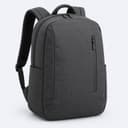 Commuter backpack, 20 L#1049 · Denver, CO$44.90ready
 AllSearch AmazonCart
 AllSearch AmazonCart
 Aldermoor Ceramic Desk Lamp with Linen Drum Shade and Brass Neck, Slate BlueIn Stock1$20.32
 Secure checkoutCartAldermoor Ceramic Desk Lamp with Linen Drum Shade and Brass Neck, Slate Blue$20.32Qty: 1
 Order #1048Filling in the checkoutBuyer’s address selectedeBay sale$39.90eBay fees−$6.30Amazon total−$22.00Profit29.1% margin$11.60AllSearch AmazonCartFridayEstimated deliveryReview or edit your recent orders
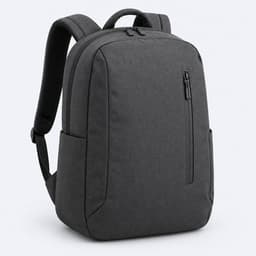 Commuter Backpack, 20 L$29.99
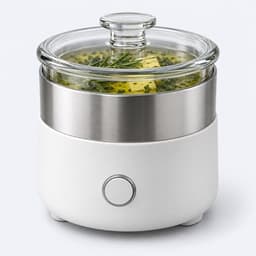 Herb Butter Infuser$18.49
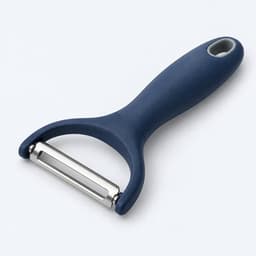 Swivel Vegetable Peeler$7.99Ceramic desk lamp#1048 · Amazon 112-4417093-5528206$39.90purchasedCommuter backpack, 20 L#1049 · Denver, CO$44.90readyOrder #1048Checking the Amazon accountAdding B0DJ4KQ7M2 to the cartRight product, quantity 1Order #1048Checking the order in Your OrdersAmazon order recorded112-4417093-5528206
Buy from your Orders page
Each eBay order you buy yourself has a Buy button. Press it and a new Amazon tab opens in your Chrome, with the right product and quantity in the cart, shipped to your eBay buyer.
- Your own Amazon accounts, chosen per order
- The button turns red when an order would lose money
- Orders set for Auto Buy are left to Auto Buy

Your profit beside Place Order
At checkout the extension shows the eBay sale, eBay’s fees, Amazon’s real total with tax and what you keep. You look it over and place the order yourself.
- Amazon’s tax, read at checkout, becomes the order’s cost
- The eBay buyer’s address, filled in for you
- Sign-in and captcha pages are left to you

Recorded by itself
Once the order is placed, the Amazon order number and its real total go back to Productivo. The order shows as purchased with its profit, and tracking follows.
- Each purchase is marked as bought with the extension
- Change which Amazon account an order was bought on
- After repairing a page change, AI can verify and complete the purchase

Where the eBay Chrome extension helps
You buy each order by hand
You sell Amazon products on eBay and buy every order yourself. With this dropshipping extension, you press Buy, check the profit and place the order. You don’t copy addresses or order numbers.
DropshippingAmazon’s price went up after the sale
The Buy button turns red when the order would lose money. At checkout you see Amazon’s real total with tax before you pay, so you can stop before Place Order.
DropshippingYou run several Amazon buyer accounts
Use one Chrome profile per Amazon account, with the extension in each. It checks the signed-in account before adding to the cart, so each order is recorded on the account that bought it.
You found a dropshipping store that sells
Scan it from its own eBay page. You see which of its sold items you can buy on Amazon, with your profit, and add the good ones to Products.
DropshippingYour listings get views but no sales
The Optimizer needs each listing’s real traffic. The extension brings it in from Seller Hub daily, so every listing gets a diagnosis from impressions, views and sales.
You are moving from Easync
Import your Easync order CSV, then let the extension read Easync’s order list. It adds the delivery statuses the CSV leaves out.
Questions about the extension
Doing it by hand? eBay fee calculator: work out your fees and money left
It comes with every Productivo plan at no extra cost. Store scans use your plan’s monthly product checks, and the Optimizer needs Pro or Scale.
Not in the normal flow: it fills checkout and you press Place Order. If Amazon changes a step, AI can repair it and finish the order. It does so only after the account, items, address, totals, profit and delivery date all pass.
Yes. Run one Chrome profile per Amazon account and install the extension in each. If the profile is signed in to another account, the tab stops before the cart and says which profile to use.
Not for orders Auto Buy places; Productivo buys those itself. You use the extension for orders Auto Buy held or doesn’t handle. To buy an Auto Buy order yourself, choose Skip auto-buy first.
Download it from Settings › Extension, unzip it and load the folder in chrome://extensions with Developer mode on. Then paste your token from the same page. The extension tells you when a new version is out.
Still have questions?
Ask our team in live chat.